
FitPix - Face & Body Editor
eToolkit IncPhotography
4.5850.00 Reviews
- Version
- 1.8.35
- Installs
- 10.00M
- Age Rating
- Everyone
Screenshots
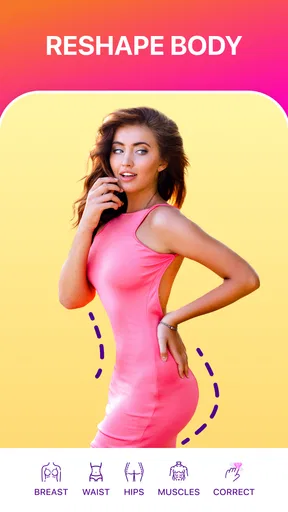
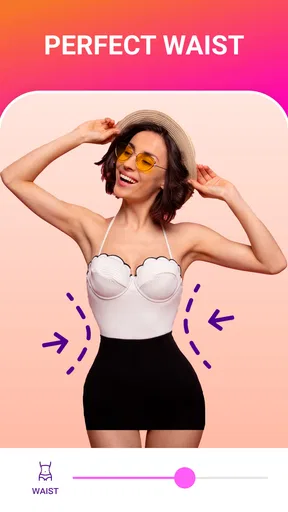
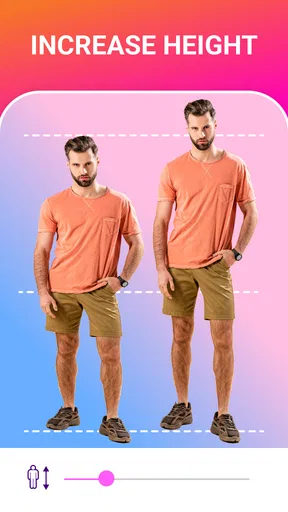
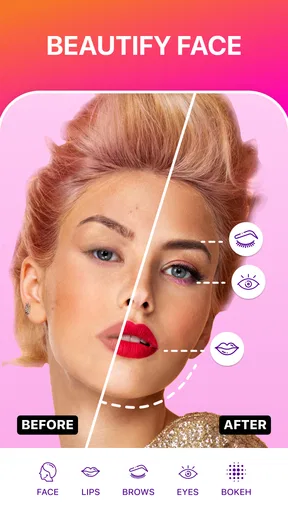
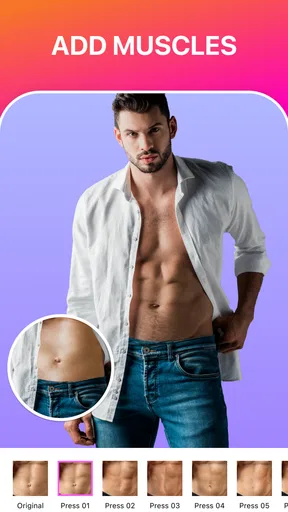

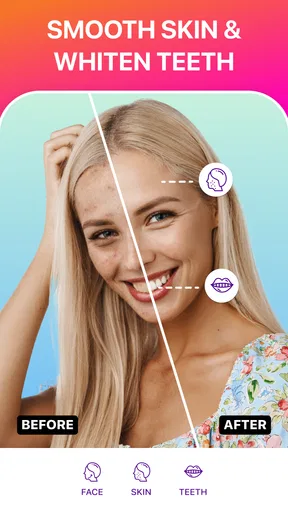
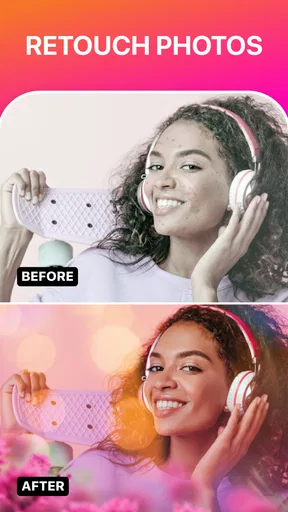
Our Review of FitPix - Face & Body Editor
 Analysis by Appyee
Ever wondered how your photos could look with just a bit of magic touch? Well, let me introduce you to FitPix - Face & Body Editor. I took a dive into this app to see what the fuss is all about, and let me tell you, it’s like having a mini Photoshop in your pocket.
The body-shaping idea, in real use
What makes FitPix worth considering is its focus on reshaping a person in a photo rather than offering only general colour or exposure corrections. The central appeal is simple: you can make a small adjustment to body shape when a pose, camera angle, or outfit looks less flattering than it did in the moment. I see that as a tool for personal preference, not a requirement for making a photo shareable.
That distinction matters. A portrait editor and a broad photo editor can both improve an image, but they solve different problems. A general editor is often the better choice when the issue is dim lighting, distracting colour, or a crop that needs attention. FitPix is more relevant when the subject’s shape is the specific thing you want to adjust. If that is not what bothers you about a picture, its defining capability may not be useful enough to justify opening another editing app.
Because body edits change the geometry of an image, I would approach them with restraint. A slight change can be enough to make a pose feel closer to how I remember it; pushing too far can make the result look unlike me or draw attention away from the photo itself. My practical test is to compare the edited image with the original before saving or sharing. If I notice the adjustment before I notice the moment captured, I have probably gone too far.
Getting Started with FitPix
So, first things first, downloading FitPix - Face & Body Editor was a breeze. Available on both Android and iOS, it’s super easy to find on your app store. Once you’ve got it installed, you’re greeted with a sleek and intuitive interface. No unnecessary clutter, just straightforward options to get you editing right away.
Features That Shine
The feature set is where FitPix really stands out. From slimming your waist to enhancing your smile, it’s all there. You can adjust facial features like eyes, nose, and lips with simple sliders. And if you're like me and sometimes wish you could just tweak that one photo where your hair wasn’t cooperating, the hair editing tool is a godsend.
Here’s what I loved:
- Face Editing: Reshape and refine facial features effortlessly. It's amazing how natural the adjustments can look!
- Body Contouring: Want to add a bit more definition to your arms or legs? This app’s got you covered.
- Filters and Effects: Tons of filters to choose from, giving your photos that extra pop.
- Background Blur: This feature helps your subject stand out by blurring the background, giving a professional finish.
A careful workflow makes the difference
For a full-body picture, I would start by choosing an image where the subject is clearly separated from the background and the body is not hidden by furniture, another person, or a loose object. That gives me a better chance of judging whether an adjustment looks believable. I would make one change at a time, pause to inspect the whole frame, and only then move to another area. Looking closely at a waist or arm alone can make a change seem harmless even when it bends a nearby wall or shifts a straight edge in the background.
A useful habit is to check the image at two scales. At full view, I can decide whether the photo still feels natural; zooming in helps me catch awkward transitions around clothing, hair, or the outline of the body. I would also keep the original untouched and treat the edited copy as a separate version. That makes it easier to return to the starting point if I later decide the photo looked better without the adjustment.
FitPix is most at home with a single portrait or a casual full-body shot, not with a complicated scene that needs careful professional retouching. For example, if I take a quick photo before meeting friends and later notice that the camera angle makes my stance look odd, a modest shape correction could help the image match my memory of the moment. It would not fix poor focus or harsh lighting, though; those are different problems, and I would choose a conventional photo editor for them.
My Experience
I spent a good chunk of time playing around with different photos, and I must say, the changes you can make are subtle yet impactful. The app never felt overwhelming, which is a huge plus for those of us who aren’t professional editors. The real-time preview is particularly handy, allowing you to see changes instantly without any lag.
One thing I noticed is that while the app offers in-app purchases, most features are available for free. However, for those looking to take their editing to the next level, the premium version unlocks some pretty cool exclusive tools.
Where it fits among photo editors
Compared with the usual all-purpose photo editors, FitPix puts more emphasis on changing appearance than on building a detailed colour grade or correcting every technical flaw in a picture. That focus is convenient when I already like the photo and want to make a targeted personal adjustment, but it is also a limitation: I would not make it my only editor if I regularly need precise control over lighting, colour, or complex retouching.
There is a judgment call that comes with any body-shaping tool. A natural-looking result depends not just on the slider, but on the photo: a simple background is more forgiving than a patterned wall, railing, or tiled floor. I would be especially cautious near straight lines and at the edge of clothing, where a small distortion can stand out. If a picture has a busy background or several people close together, leaving the body untouched may be the more convincing choice.
FitPix is free to start, with optional in-app purchases priced from $1.99 to $27.95 per item. I would first see whether the basic editing options suit my routine before paying for anything; a purchase makes more sense only if a particular paid tool solves a problem I actually encounter. The app is developed by eToolkit Inc, has an Everyone age rating, and runs on Android 6.0 or later. Its current version is 1.8.12.
Why You Might Love It
If you’re someone who loves tweaking photos and sharing them on social media, FitPix is a dream. It’s a tool that can help enhance your pictures subtly, making you feel more confident about sharing them with the world. Plus, it’s just plain fun to experiment with all the different adjustments.
Another thing worth mentioning is how user-friendly the app is. Even if you’re not tech-savvy, FitPix guides you through the process smoothly. The tutorials and tips provided are genuinely helpful and not just filler content.
Who gets the most from it
I think FitPix suits people who occasionally want to retouch their own portraits without learning a complicated desktop workflow. It can be useful for a casual profile picture, a holiday photo, or a social post where the pose or camera angle feels a little off. It is also a reasonable option for someone who prefers trying an edit immediately on a phone rather than moving a picture between several tools.
It is less suitable if you want every edit to remain documentary-accurate, if you routinely need advanced image manipulation, or if editing someone else’s appearance could make them uncomfortable. For product photography, group pictures, or images where exact proportions matter, I would skip body reshaping and use an editor aimed at correcting the image rather than changing the subject. The same goes for anyone who finds appearance-focused editing stressful: there is no need to alter a photo just because an app makes it possible.
The app has an average rating of 4.3 from around 47,000 ratings, with over 10 million installs and 744 written reviews. Those figures suggest it has found a broad audience, but they cannot tell me whether its style will match yours. I would judge it by trying a small edit on a photo that is not especially important, then checking whether the saved result looks as natural as the preview.
Final Thoughts
All in all, FitPix - Face & Body Editor is a fantastic tool for anyone who wants to add a little extra polish to their photos. Whether you’re touching up a selfie or fine-tuning a full-body shot, the app delivers results that are both stunning and natural-looking.
So, if you’re in the market for a powerful yet easy-to-use photo editor, give FitPix a try. You might just find it becomes your go-to app for all your picture-perfect needs.
My recommendation
FitPix was released on April 22, 2021, and its appeal is still easy to understand: it makes a particular kind of portrait adjustment approachable on a phone. I would recommend it to someone who wants to experiment gently with body shape and facial edits, while keeping the original image available for comparison. I would not recommend it as a substitute for every kind of photo editing, or as a reason to judge ordinary pictures by an edited standard.
My advice is to start with the smallest change that addresses what is bothering you, inspect the entire frame, and stop as soon as the photo feels right. Used that way, this photography app can be a handy, low-pressure option for occasional personal edits. If you mainly want colour correction, detailed retouching, or an untouched record of a real moment, another editing approach will serve you better.
Verdict
Strengths of FitPix - Face & Body Editor
- Intuitive interface for easy editing.
- Wide range of editing tools available.
- Real-time preview of edits.
- High-quality export options.
- No ads in premium version.
Limitations of FitPix - Face & Body Editor
- Limited features in free version.
- Heavy on device storage.
- Occasional app crashes reported.
- In-app purchases can be pricey.
- Some features require internet.
Similar Picks in This Category
View All
Google Photos
Google LLC4.4

Gallery
Google LLC4.2

Picsart AI Photo Editor, Video
PicsArt, Inc.3.9

B612 AI Photo&Video Editor
SNOW Corporation4.1

BeautyPlus-Selfie Photo Editor
PIXOCIAL TECHNOLOGY (SINGAPORE) PTE. LTD.4.5

Remini - AI Photo Enhancer
Bending Spoons4.1
Frequently Asked Questions
What features does FitPix offer for photo editing?
FitPix is equipped with a wide array of features, including face slimming, body reshaping, and skin smoothing tools. It also offers filters and retouching options to enhance your photos. Whether you're looking to make subtle adjustments or dramatic changes, FitPix provides a user-friendly interface to achieve professional results.
Is FitPix easy to use for beginners?
Yes, FitPix is designed with an intuitive interface that makes it accessible for users of all skill levels. Beginners will find the easy-to-navigate menus and helpful tutorials beneficial, while more advanced users can take advantage of the app’s comprehensive editing tools to refine their images.
Are there any in-app purchases or subscriptions in FitPix?
FitPix is free to download, but it does offer in-app purchases and subscription options. These allow access to premium features such as additional filters, advanced editing tools, and ad-free usage. Users can choose from various subscription plans to suit their needs and budget.
How does FitPix handle user privacy and data security?
FitPix takes user privacy seriously and employs robust security measures to protect data. The app requires minimal permissions and does not store images on its servers. Users can rest assured that their photos and personal information remain secure while using the app.
Can FitPix be used on both Android and iOS devices?
Yes, FitPix is available for both Android and iOS platforms. Users can download the app from the Google Play Store or Apple App Store, ensuring compatibility with a wide range of devices. Regular updates are provided to enhance functionality and introduce new features.
